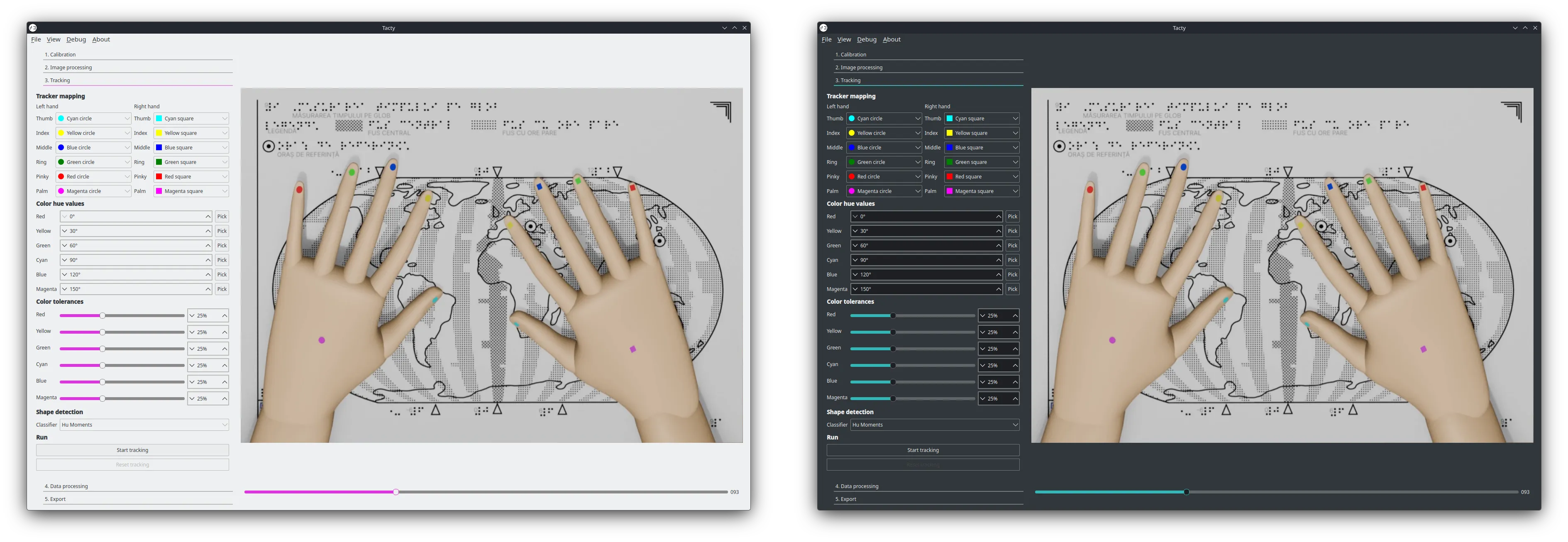
Themes can be changes by using the menus View > Theme and View > Color.
By default Tacty uses the Native theme which follows the style and color of your operating system.

Additionally, if you don’t like the default style, we also bundled the Breeze Light and Breeze Dark stylesheets by Alexhuszagh. These come in 6 different accent colors and look the same on every platform.